AI Agents for News Trading: Managing NewsTrader Triggers with Claude or ChatGPT Monday November 23rd, 2026 – Posted in: Arbitrage Software, News Trading Software
BJF TRADING GROUP · NEWS TRADING
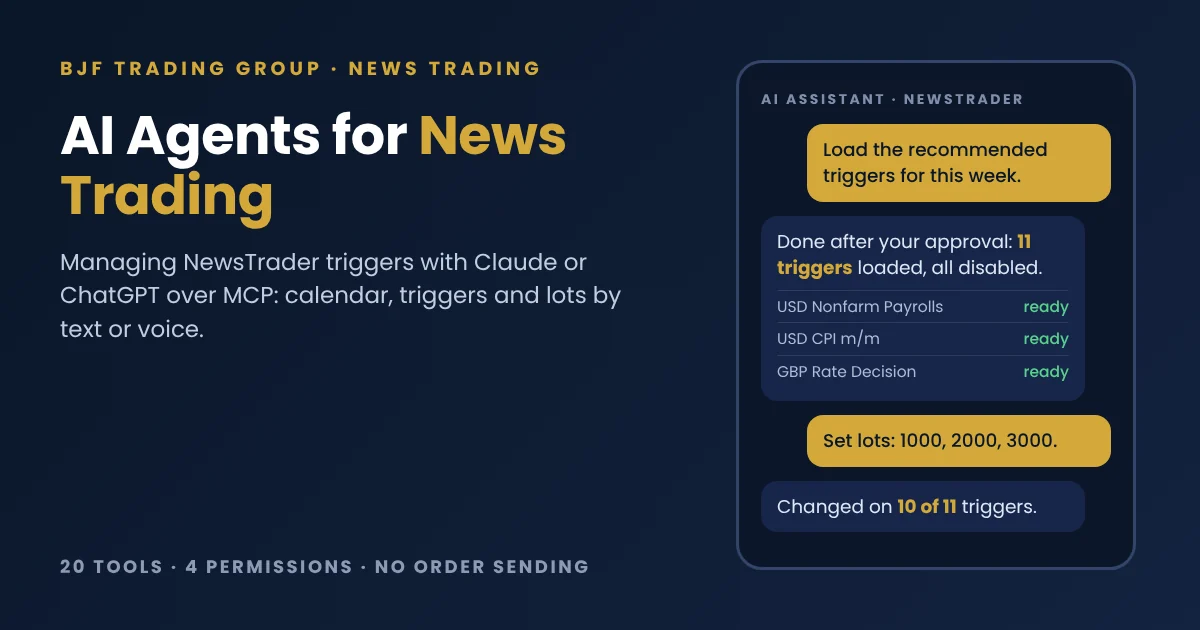
AI Agents for News Trading: Managing NewsTrader Triggers with Claude or ChatGPT
News trading is decided in milliseconds, but it is prepared over hours: the calendar, the triggers, the lots, the connections. That preparation is routine work, and routine work is what an AI assistant does well. This guide shows how Claude, ChatGPT or another assistant connects to NewsTrader Pro through its built-in MCP server, what it can do for you before and after a release, and what it is never allowed to do.
In this guide
- AI agents in news trading: the short answer
- Why preparation is the right job for an assistant
- How the connection works
- A news week in six requests
- Permissions: four switches, twenty tools
- What NewsTrader refuses, whatever the agent asks
- Three ways to connect
- Video: setup and voice commands from a phone
- Risks and limitations
- FAQ
AI agents in news trading: the short answer
An AI agent does not predict the news and does not open positions. It manages the tool that does the trading. Connected to NewsTrader Pro over the Model Context Protocol (MCP), the assistant reads sessions, triggers, the economic calendar, orders and the journal, and, only if you allow it, connects sessions, loads and edits triggers or closes orders. You ask in plain words, by text or by voice. Orders still come only from triggers, at the moment their news is released.
Why preparation is the right job for an assistant
A news trigger reacts faster than any person can, so the trader’s work moves to the hours before the release. Which events matter this week? Is there a trigger for each of them? Is every session connected, does every trigger have a symbol and a group, are the lots right for this account? None of this is difficult, and all of it is easy to forget on a busy Thursday.
An assistant with access to NewsTrader can do this checklist in one answer, from any device. Typical things traders hand over:
- The morning check: which triggers fire today and whether anything stops them from trading.
- The weekly load: recommended triggers for the week with their entry and trailing options.
- Bulk edits: one sentence instead of opening ten trigger dialogs to change the lots or the stop loss.
- The review: what was opened, closed or rejected, and what the journal says about the last release.
How the connection works
NewsTrader runs a small server inside itself. Your AI client connects to it with an address and an access token. The server shows the agent one tool for each NewsTrader action you allowed, and the agent chooses the tools itself. Everything goes through NewsTrader’s own buttons and menus: the agent never talks to your broker directly.
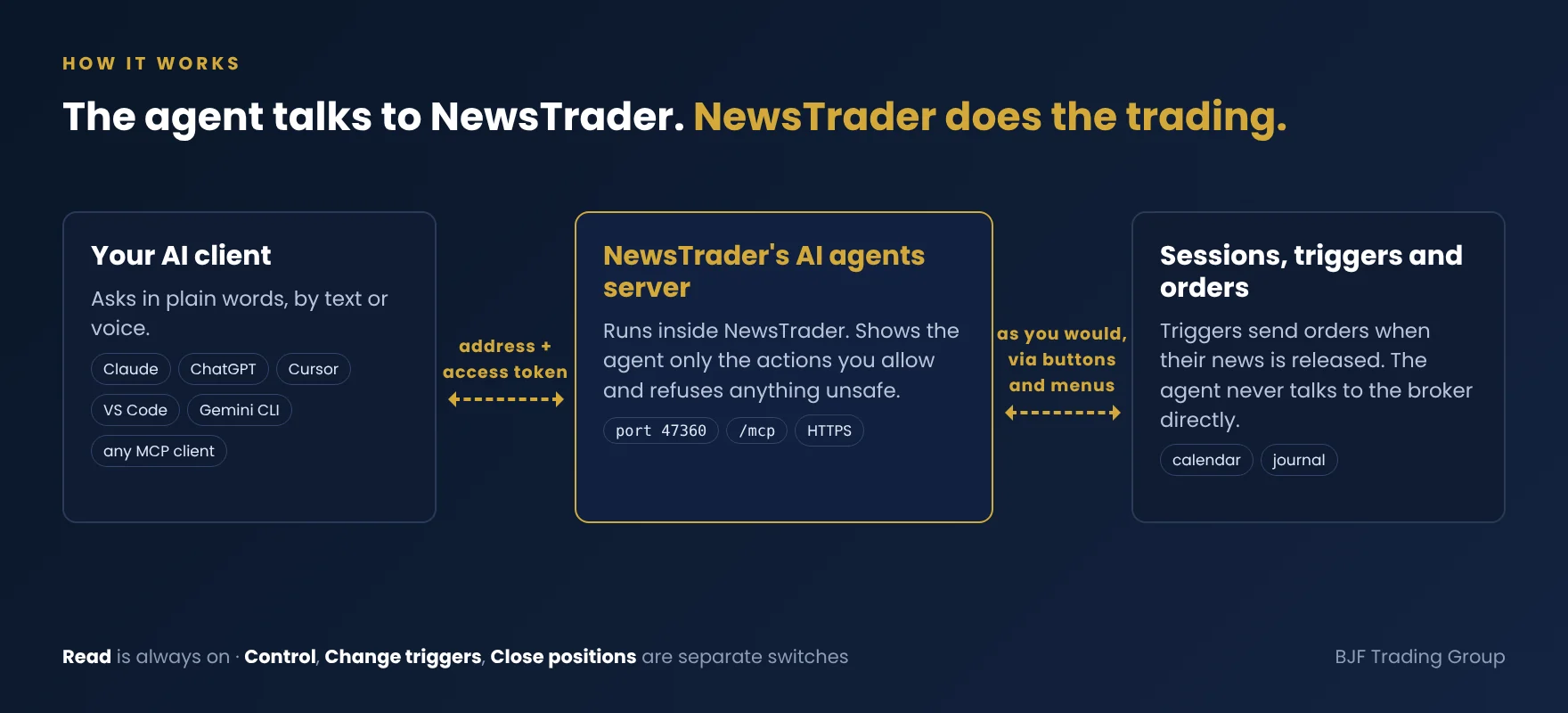
No tool opens a position. Orders come only from triggers, when their news is released.
A news week in six requests
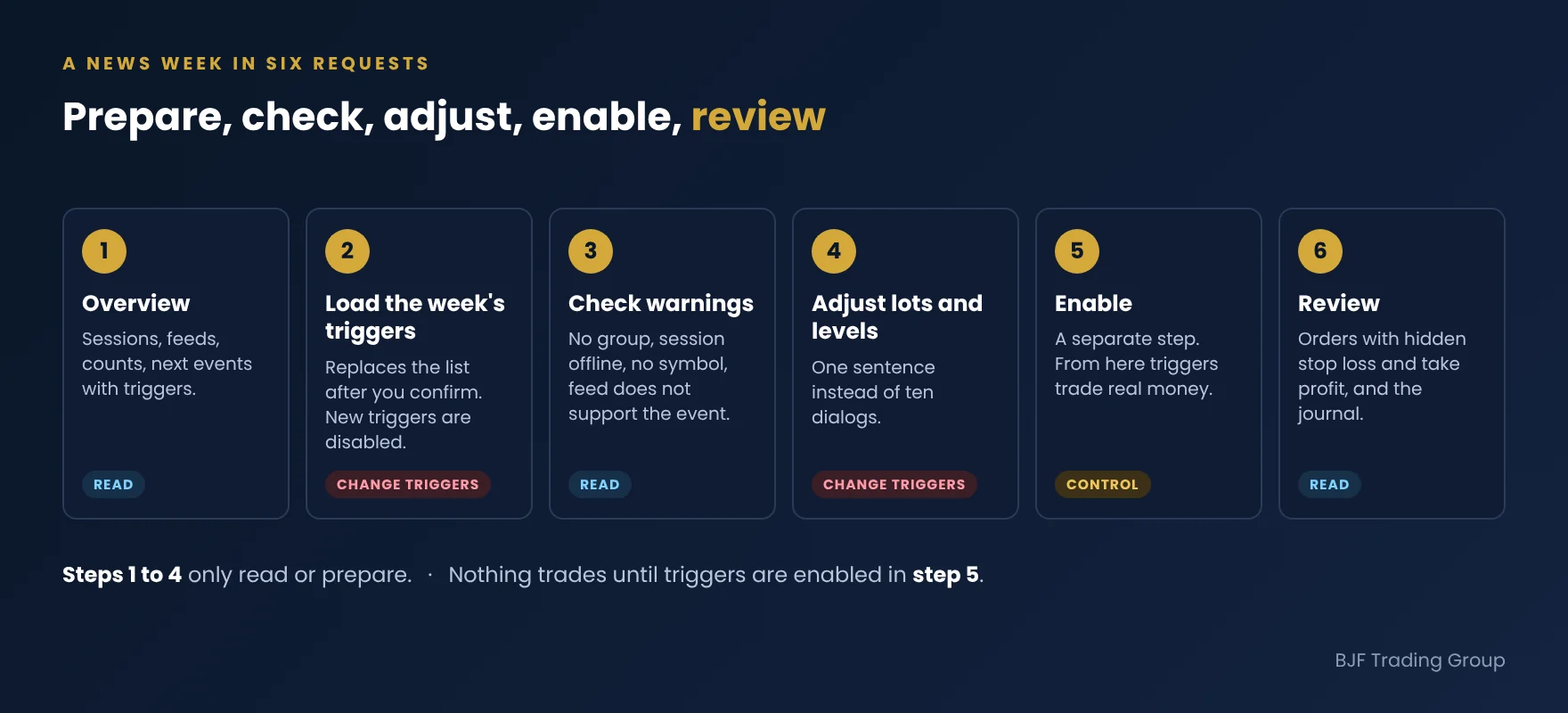
This is what a normal week looks like when the assistant does the preparation. The words are examples; you can phrase them any way you like.
1
2
3
4
5
6
Permissions: four switches, twenty tools
Reading is always on. Everything that changes something is behind three separate switches in the AI agents (MCP) window, and tools you did not allow are hidden from the agent.
| Permission | Tools | What the agent can do |
|---|---|---|
| Read | 9 | Status, sessions, groups, triggers, the local trigger database, the calendar, orders and the journal. |
| Control | 4 | Connect and disconnect sessions, enable and disable triggers, refresh the calendar. |
| Change triggers | 6 | Create, edit and remove triggers; load the recommended triggers; add triggers from the local database. |
| Close positions | 1 | Close positions by market, cancel resting limit orders, remove virtual orders. |
Start with reading only. Add Control or Change triggers when you have seen how the agent reports its work, and reconnect the client after each change so that it loads the new list of tools.
What NewsTrader refuses, whatever the agent asks
These checks run inside NewsTrader. They do not depend on how carefully the assistant behaves.
- Hands off around a release. Triggers are not removed or replaced within 60 seconds of an enabled trigger’s release.
- New triggers start disabled. The agent must enable them separately and receives warnings about anything that would stop them from trading.
- No removing a trigger that has orders. A trigger with open, resting or pending orders cannot be removed or replaced.
- One bad value changes nothing. Trigger changes are validated like the options dialog validates them. If one value is wrong, nothing is changed.
- No changes while a dialog is open. If a dialog is open in NewsTrader, actions wait until you close it. Reading continues.
- Everything is recorded. Each action writes a journal line that starts with “AI agent”, and every call goes to a daily log file.
Three ways to connect
In the AI agents (MCP) window you tick Allow AI agents to connect, choose the allowed operations, press Apply and copy a ready configuration for your client. What else you need depends on where the AI client runs.
| Where the AI client runs | Listen on | Certificate | Firewall |
|---|---|---|---|
| Same computer | This computer only | Not needed | Nothing to open |
| Your other computer or a VPS | All network interfaces | Self-signed is enough | MCP port for that computer’s IP |
| OpenAI agents and other cloud clients | All network interfaces | Trusted, from Let’s Encrypt | Port 80 and the MCP port |
Every request must carry the access token. An address that sends 10 wrong tokens within 10 minutes is blocked for 15 minutes. Ready configurations exist for Claude Desktop, Claude Code, Cursor, VS Code, Gemini CLI, OpenAI and generic MCP clients; the full setup is on the module page and in the MCP for Trading guide.
Video: setup and voice commands from a phone
The video shows the settings window step by step and then a live demo: NewsTrader runs on a VPS, Claude runs on a phone, and two voice commands load eleven triggers and change the lots on ten of them.
Risks and limitations
- Enabled triggers trade real money. An agent acts in NewsTrader as you do. A trigger it enables will send orders on its own when its news is released.
- Assistants can misunderstand. Read what the agent reports back, especially after bulk changes, and check the triggers yourself before an important release.
- Execution is still execution. Spreads widen and slippage grows around releases; an assistant does not change how your broker fills orders. See the economic news trading guide.
- No guarantee. Nothing in this article is a forecast or financial advice. Trading with leverage carries a high risk of loss.
Prepare the news week in a few sentences
NewsTrader AI Agents is a module for NewsTrader Pro. After the purchase we add AI agents to your license; restart NewsTrader and the AI agents (MCP) menu appears. Your Claude or ChatGPT account is not included.
Free arbitrage scanner + short email course
Get the free scanner link and a few short, practical emails from Boris: what a price gap really means after costs, how to test a strategy before risking real money, and which tools fit your market. No hype.
FAQ
Can an AI agent trade the news by itself?
No. In NewsTrader no tool opens a position. The agent can prepare, edit and enable triggers if you allow it, and the triggers send orders when their news is released.
Which AI assistants work with NewsTrader?
Any client that supports the Model Context Protocol: Claude Desktop and the Claude mobile app, Claude Code, Cursor, VS Code, Gemini CLI, OpenAI agents and others. Some cloud clients accept only a trusted HTTPS certificate, which NewsTrader can request from Let’s Encrypt.
Do I need a VPS to use AI agents?
No. If NewsTrader and the AI client run on the same computer, the server listens only on that computer and needs no certificate. On a VPS you add HTTPS, the access token and a list of allowed IP addresses.
Can the agent replace my triggers by mistake?
Loading the recommended triggers replaces the whole list, so the agent should confirm with you first. NewsTrader also refuses it while any order belongs to a trigger and within 60 seconds of an enabled trigger’s release.
Is it safe to give an AI assistant access to a trading program?
Start with read-only access, which cannot change anything. Each further permission is a separate switch, every request needs the access token, and every action is written to the journal.
