Latency Arbitrage Entry and Exit: Impulse Signals (Min Move) and Reverse Close in SharpTrader Wednesday October 7th, 2026 – Posted in: Arbitrage Software
BJF TRADING GROUP · LATENCY ARBITRAGE · SHARPTRADER
Impulse Entry and Reverse Exit: Two New Controls for Latency Arbitrage
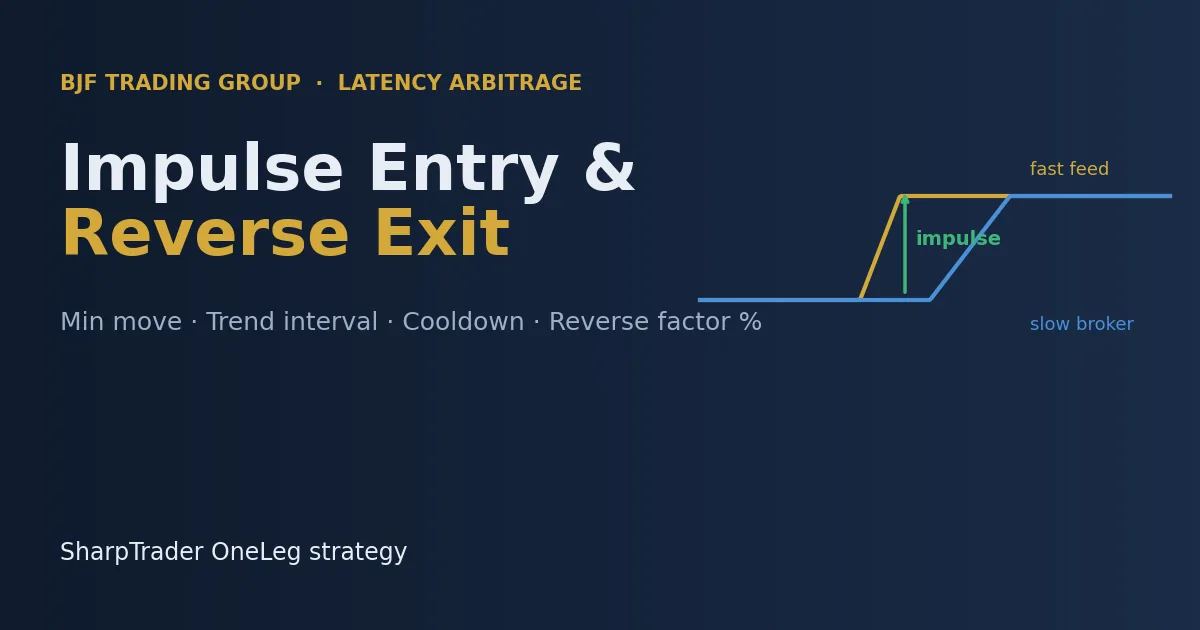
Classic latency arbitrage opens a trade when the price difference between a fast feed and a slow broker exceeds a threshold. SharpTrader’s OneLeg strategy now adds two optional, per-instrument controls: an entry triggered by a sharp move of the fast feed itself (Min move), and an early exit when the difference turns against an open position (Reverse factor %). This article explains how both work, with diagrams and a worked example, and how to start tuning them.
In this article
Why entry timing and exits matter in latency arbitrage
In latency arbitrage the edge exists for a short window: the fast feed has already moved, the slow broker has not updated its quote yet. Every millisecond spent waiting after the move starts reduces what is left of that window. And once a position is open, the market can turn: the fast feed moves back, and the difference that justified the trade now points the other way.
The OneLeg strategy has always opened trades on the fast/slow difference (Diff to open) and closed them with TP, SL or order lifetime. The two new options address both sides of the trade:
- Min move reacts to the fast feed’s own impulse, not only to the gap between the two quotes.
- Reverse factor % closes a position as soon as the difference turns clearly against it, without waiting for TP, SL or the order lifetime.
Both options are off by default (value 0), so existing strategies keep working exactly as before. Both work in live trading, emulator mode, backtesting and optimization.
Min move: entry on a fast-feed impulse
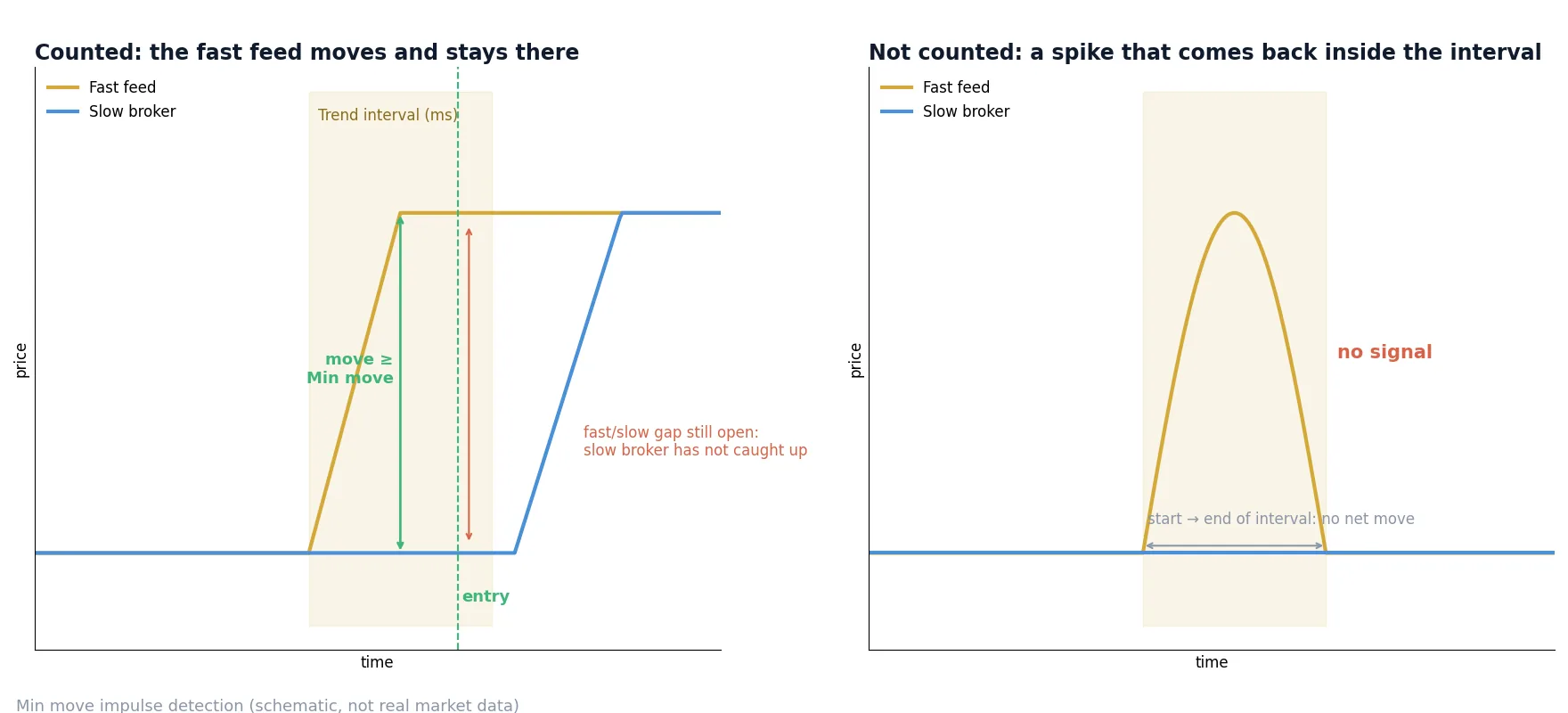
With Min move enabled, the strategy watches the fast feed’s own movement. An impulse is a move of at least Min move (in the instrument’s diff units, points or %) within Trend interval (ms), measured from the price at the start of the interval to the current price. The direction of the impulse becomes the trade direction, and the Reverse trading setting still applies.
Because the move is measured from the start of the interval to the current price, a spike that goes up and comes back inside the interval does not count. Only a move that holds is treated as a signal.
Three settings control impulse entries:
| Setting | What it does |
|---|---|
Min move |
Minimum fast-feed move that counts as an impulse, in the instrument’s diff units (points or %). 0 = impulse entry off. |
Trend interval (ms) |
Time window in which the move must happen, measured from the price at the start of the window to the current price. |
Cooldown (ms) |
Minimum time between two impulse signals on the same symbol. |
When a trade opens: three modes
Min move works together with the existing Diff to open setting. Their combination gives three entry modes:
| Min move | Diff to open | Entry condition |
|---|---|---|
| 0 | any | As before: the fast/slow difference is above Diff to open. |
| > 0 | > 0 | An impulse, and the fast/slow difference on the same side is still above Diff to open, so the slow broker has not caught up yet. |
| > 0 | 0 | The impulse alone. |
The combined mode (both values above 0) is the most selective: it requires the fast feed to move sharply and confirms that the slow broker is still behind. All other conditions still apply in every mode: spread limits, trade pause, allowed direction, diff limit, trading hours, news filter and one position per instrument.
Reverse factor %: close on an opposite signal
When a position is open and the fast/slow difference turns against it by at least the reverse threshold, the position is closed at market right away, without waiting for TP, SL or the order lifetime. The signal that closed the position does not open a new trade in the other direction.
This is useful when the market reverses quickly after entry: instead of holding a position whose reason no longer exists, the strategy exits while the loss (or the remaining profit) is still small.
How the reverse threshold is calculated
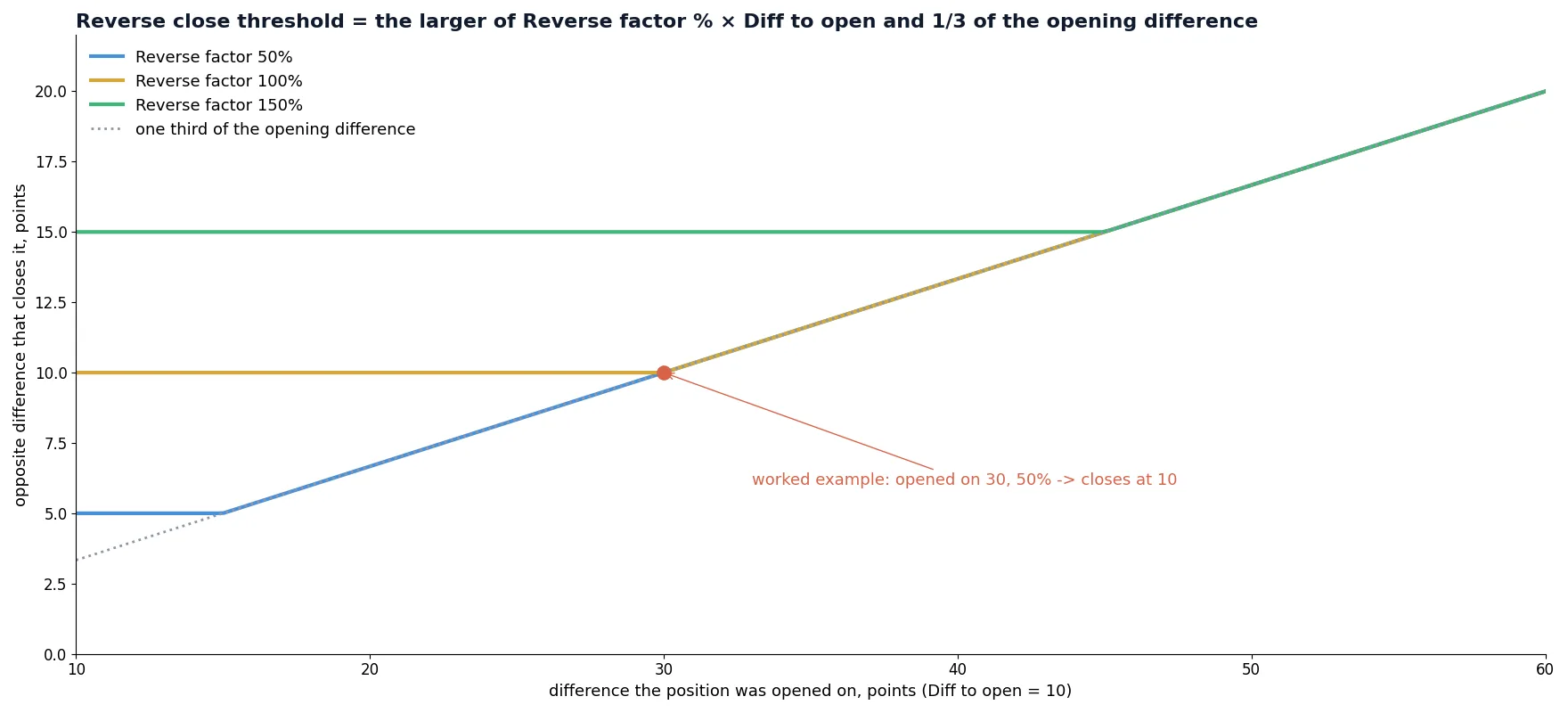
Reverse threshold is the larger of:
Reverse factor %×Diff to open(or ×Min movewhen Diff to open is 0);- one third of the difference the position was opened on.
The second rule protects positions opened on a large difference: the bigger the original signal, the bigger the opposite move needed to close it, so normal noise does not trigger an exit.
Worked example
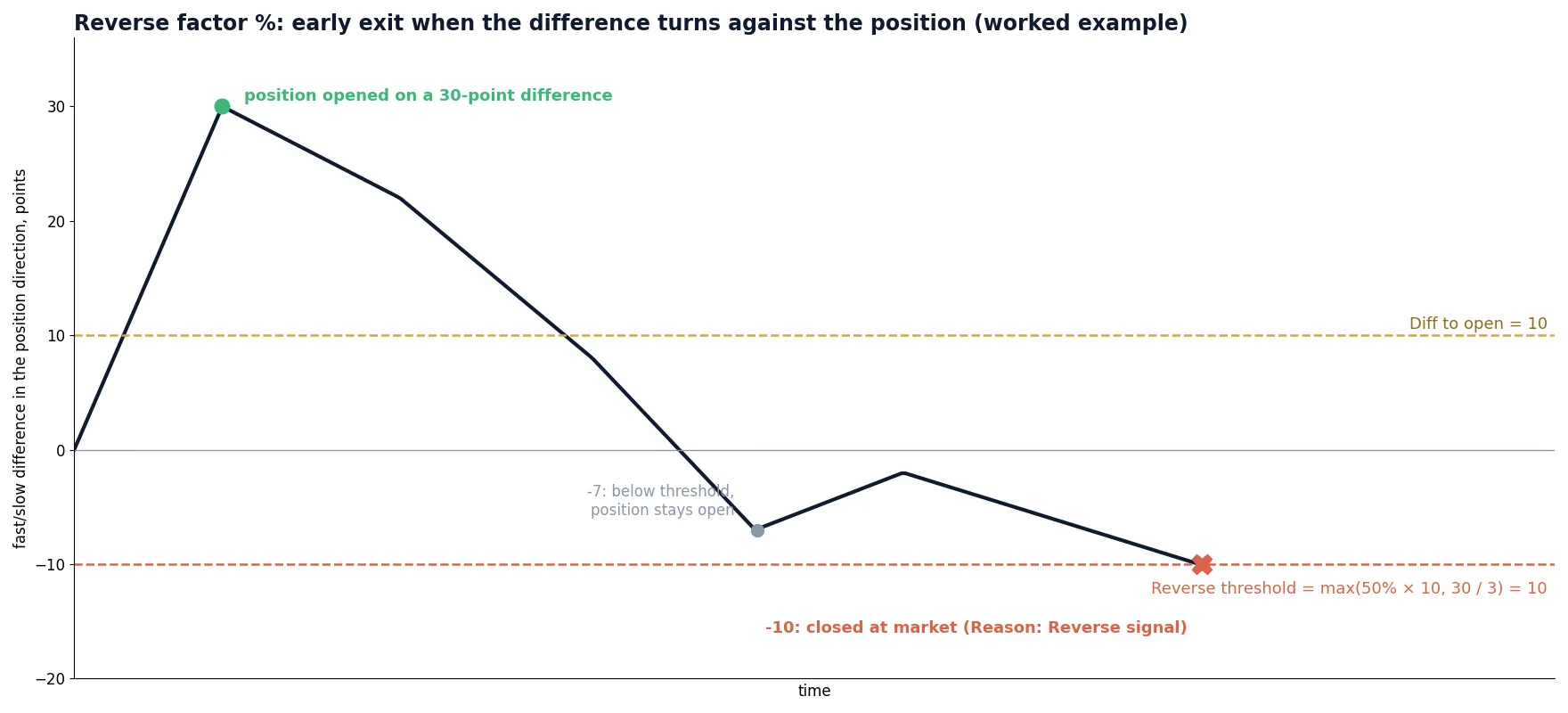
Diff to open is 10 points and Reverse factor is 50%. A position is opened on a 30-point difference. The threshold is the larger of 50% × 10 = 5 and 30 / 3 = 10, so it is 10 points. An opposite difference of 7 points does nothing; when the opposite difference reaches 10 points, the position is closed at market.
Rules and limitations
- A reverse close can happen below Diff to open and outside trading hours, just like a TP or SL close.
- It is not sent while spreads are over their limits, during a trade pause or when the slow broker is disconnected.
- Trade pause applies again after a reverse close.
- These closes are marked in the strategy log with
Reason: Reverse signal, so you can count and evaluate them separately. - Do not combine Reverse factor % with the older Reverse closing option: when that option is on, Reverse factor % is ignored.
- Reverse factor % is not used by copy-trading (slave) strategies, clicker mode or UDP signals.
Starting values and optimization
Good starting points for Trend interval are 50–100 ms for FX and 30–50 ms for gold, indices and crypto. Set Min move above the slow broker’s usual spread, otherwise an impulse can be smaller than the cost of crossing the spread.
From there, let the data decide. All four new columns (Min move, Trend interval, Cooldown and Reverse factor %) can be included in optimization, so they can be tuned together with your existing parameters on historical ticks before you trade live. Our live test of optimized vs default settings shows why tuning on your own broker pair matters.
- Record or load ticks for your fast feed and slow broker.
- Backtest with Min move = 0 and Reverse factor % = 0 to get a baseline.
- Enable Min move with Diff to open still set (combined mode) and compare.
- Add Reverse factor % and check how many closes show
Reason: Reverse signaland what they saved. - Optimize the four new values together, then confirm on a small live or emulator run.
Remember that entry logic is only one part of the setup. A reliable fast data feed and low network latency to the slow broker decide how much of the window is left when the order arrives.
Try impulse entry and reverse exit in SharpTrader
Min move and Reverse factor % are available per instrument in the OneLeg strategy, in live trading, emulator mode, backtesting and optimization.
SharpTrader arbitrage platform Complete latency arbitrage guide
Free arbitrage scanner + short email course
Get the free scanner link and a few short, practical emails from Boris: what a price gap really means after costs, how to test a strategy before risking real money, and which tools fit your market. No hype.
FAQ
Will these options change how my existing strategies trade?
No. Both Min move and Reverse factor % default to 0, which means off. Existing strategies behave exactly as before until you set a value.
What is the difference between Min move and Diff to open?
Diff to open looks at the gap between the fast feed and the slow broker. Min move looks at how far the fast feed itself has moved within Trend interval. You can use either, or both together for the most selective entries.
Does a reverse close open a trade in the opposite direction?
No. The signal that closes a position does not open a new one. A new trade needs a fresh entry signal after the trade pause.
Can I use Reverse factor % together with Reverse closing?
No. If the older Reverse closing option is enabled, Reverse factor % is ignored. Use one or the other.
Can I optimize these parameters?
Yes. Min move, Trend interval, Cooldown and Reverse factor % can all be included in optimization runs on historical data.
