SHARPTRADER MODULE · PRO & LITE
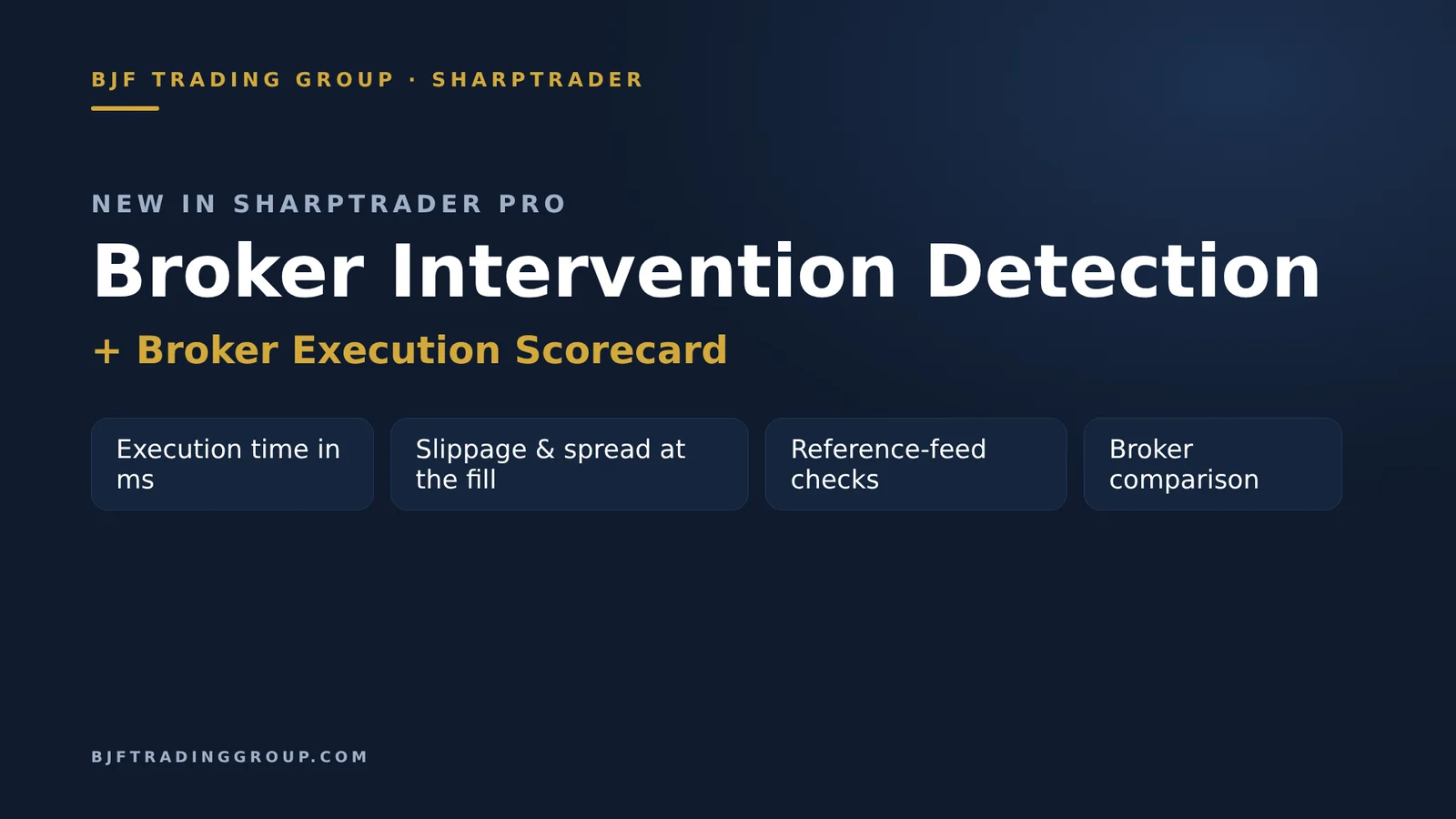
Broker Intervention Detection: see how your broker really fills your orders
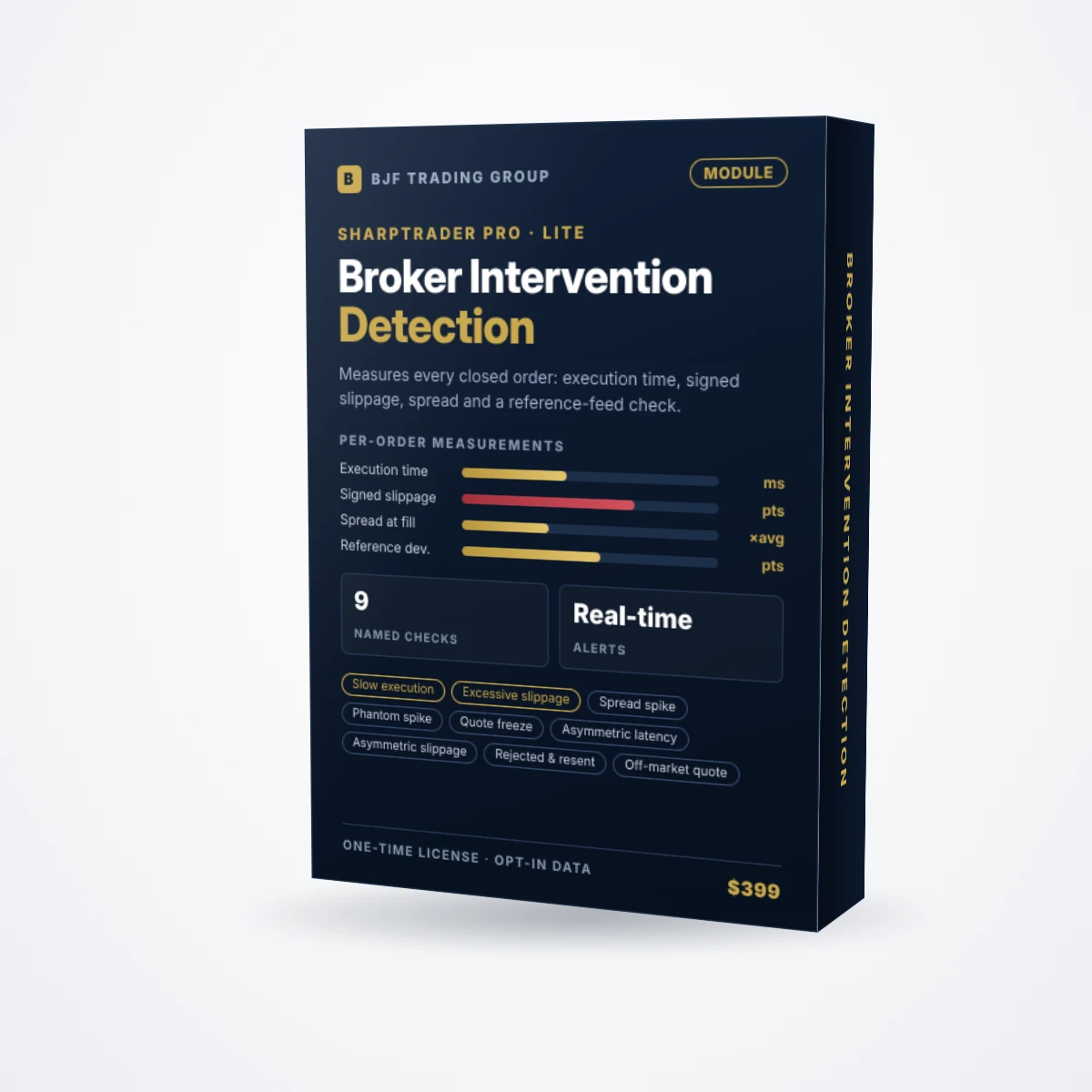
A built-in SharpTrader module that measures every closed order of the strategies you choose: execution time in milliseconds, slippage against the quoted price, spread at the fill and the distance from an independent reference feed. When a fill looks abnormal, you see exactly which check failed and why. It never changes how you trade.
On this page
Why execution quality matters
Short answer: a retail terminal shows you the price you got, not how you got it. Two brokers can quote the same price and still fill you very differently: one takes 120 ms, the other 400 ms; one slips you symmetrically, the other slips you against you nine times out of ten. For short-term and arbitrage strategies that difference decides whether a profitable backtest survives live trading.
Broker Intervention Detection turns execution into numbers you can check. It runs inside SharpTrader next to your strategies, keeps a short memory of recent quotes for every symbol, and when an order closes it reconstructs the moment of execution and compares it with what the market and a reference feed were showing at that time.
What the module measures
Every closed order becomes one row in the Closed orders tab. Strategy, ticket, symbol, type and lots sit next to measurements a standard terminal does not show:
| Measurement | What it tells you |
|---|---|
| Open ms / Close ms | How long the broker actually took to fill the open and the close request, in milliseconds. |
| Open slip / Close slip | Signed slippage in points against the quoted price on each side. The sign shows whether it went for you or against you. |
| Open, close and average spread | The spread at the fill moment compared with the normal spread of the symbol. |
| Off-market | Whether the fill price was outside every bid and ask quoted between the request and the fill. |
| Ref. deviation | How far the broker’s price was from an independent reference feed at that moment, in points. |
| Checks failed | The named checks that fired on this order, for example Slow execution, Excessive slippage, Asymmetric slippage. |
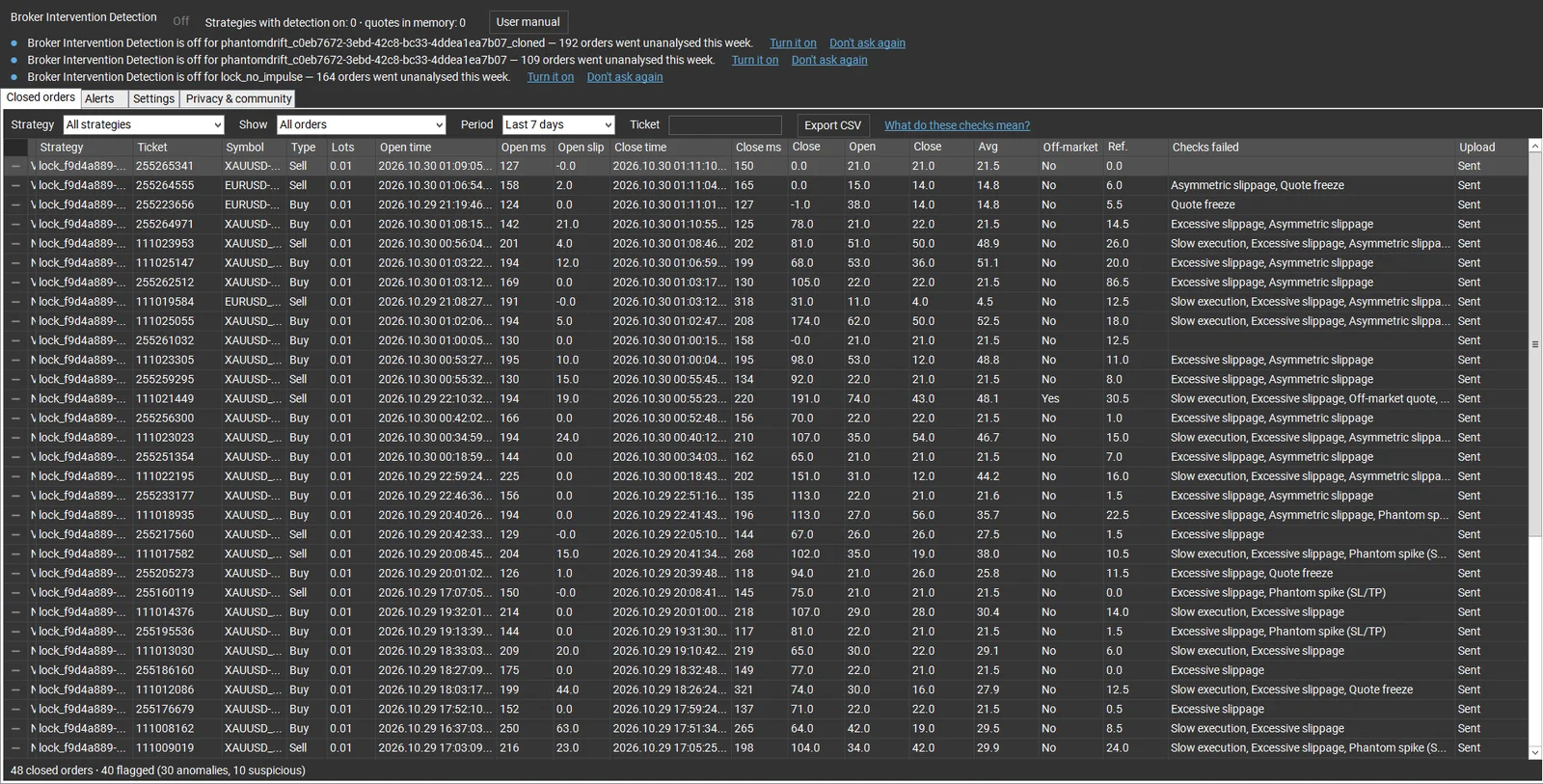
Suspicious orders are tinted amber and anomalies red, so a bad session stands out at a glance. Filters let you narrow the list by strategy, period or ticket, and Export CSV gives you the raw data. Clicking an order opens its Execution Report: the verdict, both legs of the order, every failed check with a one-line explanation, and a chart of bid, ask and reference quotes around the fill.
The 9 detection checks
Every check has a fixed name and a precise definition, so a flag is never a black box. Critical checks mark an order as an anomaly; warnings mark it as suspicious.
| Check | Severity | Fires when |
|---|---|---|
| Excessive slippage | Critical | Slippage against you on the open or the close is above your “Max acceptable slippage”. |
| Off-market quote | Critical | The fill price was outside every bid and ask quoted between the request and the fill; with a reference feed, it must be off the market there too. |
| Spread spike | Critical | The spread at the fill was more than the set multiple of the symbol’s average spread, and at least 1 point wider. |
| Phantom spike (SL/TP) | Critical | Right before the close, the broker’s price made an adverse spike that the reference feed did not show. This is how a stop gets hit by a price that was never really traded. |
| Slow execution | Critical | The open or the close took longer than your “Max acceptable execution time”. |
| Asymmetric slippage | Warning | Over the strategy’s last 50 fills, at least 65% of slipped fills went against you, which is unlikely on fair execution (binomial test, p < 0.05). |
| Quote freeze | Warning | No quote for longer than the freeze limit around the order while the reference feed kept ticking. |
| Asymmetric latency | Warning | One side of the same order took far longer than the other. |
| Requote / Order rejected & resent | Warning | The broker requoted, or an order of the same symbol and side was rejected shortly before this one. |
Alerts and execution summaries
The Alerts tab sums it up. When a strategy stops trading, you get an execution summary: orders analysed, how many were flagged, the median fill time against your 30-day median, the net slippage against you in points and the most frequent check in the batch. Below it, the alert history records real-time events such as:
- a stop-loss triggered by a price the reference feed does not confirm;
- an order filled outside the market price, with the cost against you;
- slippage that is consistently against you on a symbol;
- quotes from a broker that keep stalling while the reference feed stays live;
- orders being rejected and resent.
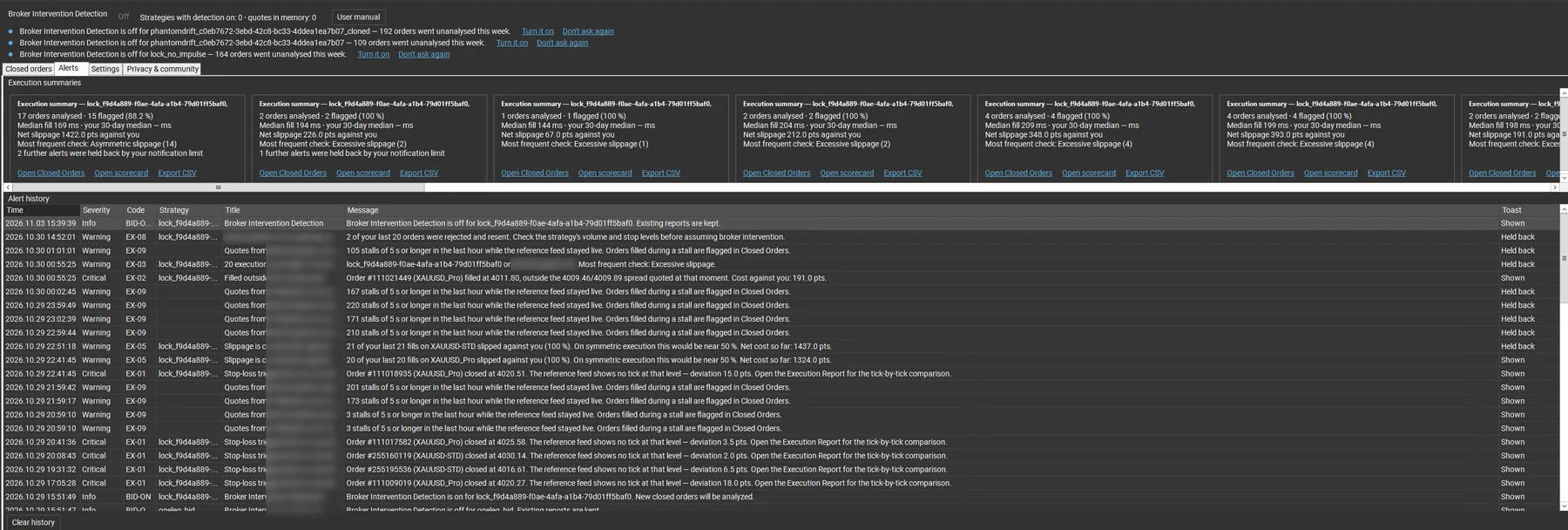
Critical events can raise a desktop notification; warnings respect a notification limit so a bad hour does not flood your screen. Alerts can also be duplicated to Telegram.
Settings you control
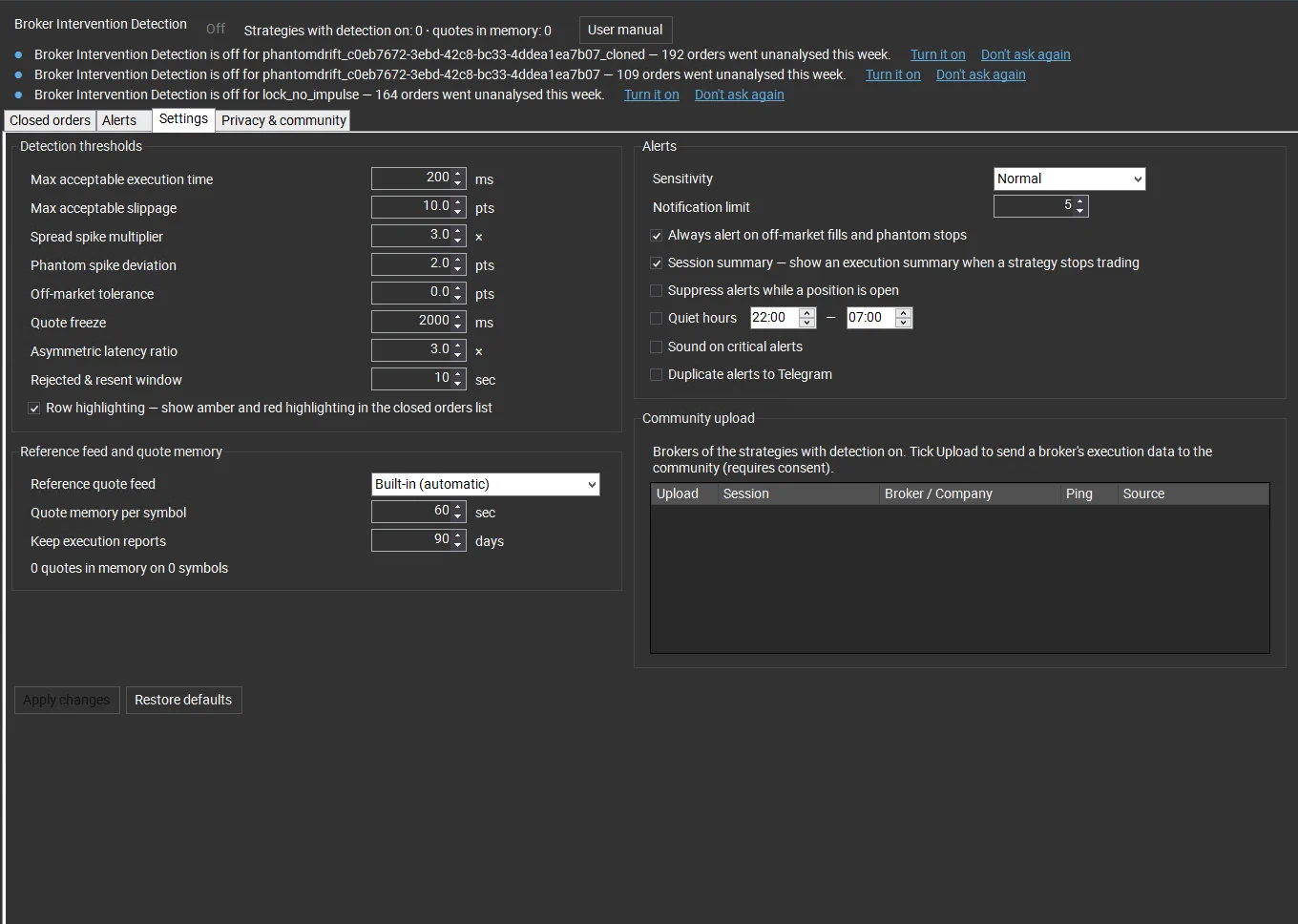
You decide what counts as abnormal. The defaults are a sensible starting point, and the community panel can suggest server-recommended thresholds in one click.
| Setting | Default |
|---|---|
| Max acceptable execution time | 200 ms |
| Max acceptable slippage | 10 points |
| Spread spike multiplier | 3× |
| Phantom spike deviation | 2 points |
| Quote freeze | 2,000 ms |
| Asymmetric latency ratio | 3× |
| Rejected & resent window | 10 seconds |
| Quote memory per symbol / keep reports | 60 seconds / 90 days |
Privacy and consent
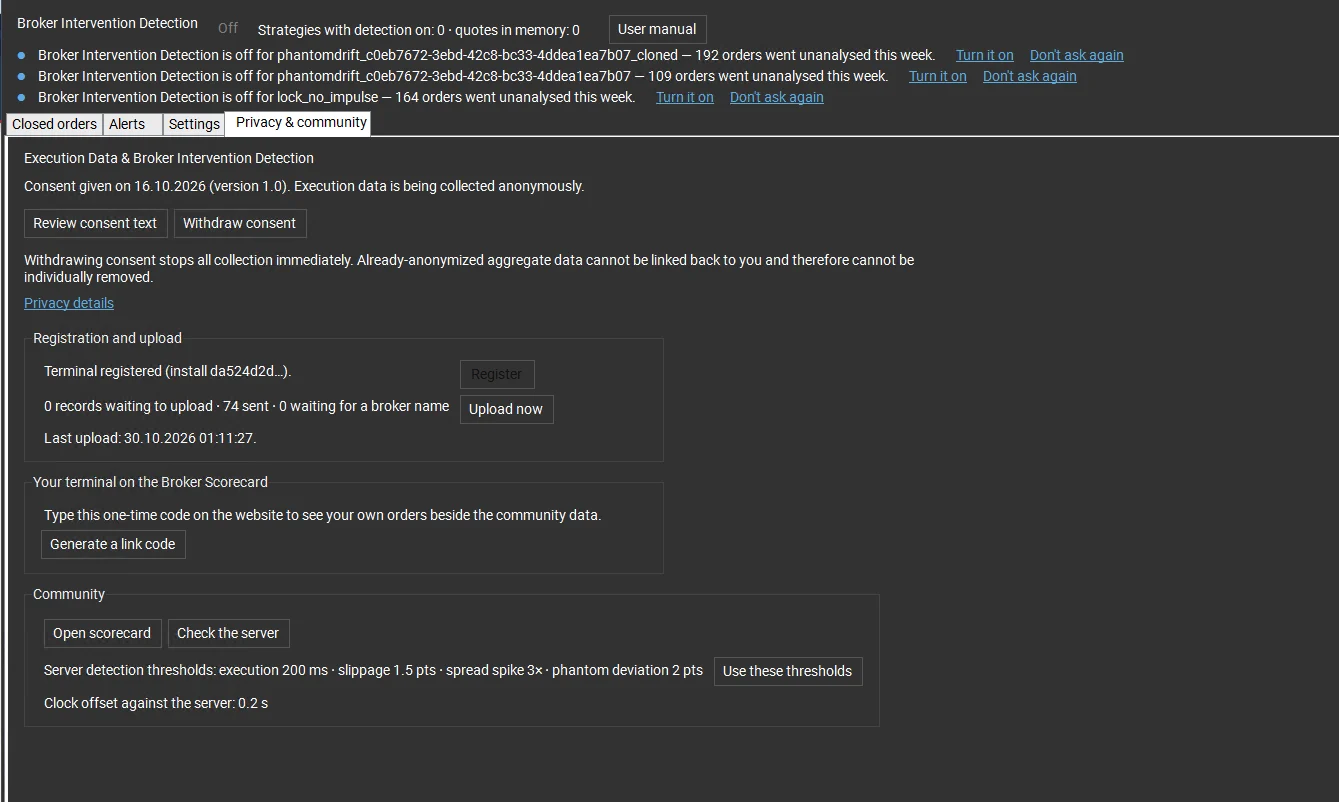
The module is opt-in for each strategy and never changes trading behaviour. The first time you enable it, SharpTrader shows a consent dialog that lists exactly what is collected and what is not.
- Collected, if you agree to share: broker and trade server name, order times, execution time per side, requested and filled prices, slippage, spread, quote-stream timestamps, symbol, order type and lot size.
- Never collected: your account number or trading login, your name, any broker password, your balance, equity or margin.
- You choose which brokers are uploaded, and you can withdraw consent at any time; collection stops immediately.
Broker Execution Scorecard (optional subscription)
The module works on its own: everything above runs locally in your terminal. If you want to see how your broker compares with others, the Broker Execution Scorecard is a members’ page on our website that aggregates the anonymous execution data of opted-in SharpTrader traders. Pick a broker, a trade server, a symbol and a period, and see flagged-order share, median and slow-end fill times and net slippage side by side with all other brokers, plus your own fills next to the community. Access is a separate subscription at $49 per month, opened from the terminal with one click.
Video walkthrough
2:22 · Closed orders, alerts, settings, privacy and the Broker Execution Scorecard.
Requirements and pricing
- Module price: $399, one-time payment.
- Works with: SharpTrader Pro and SharpTrader Lite. The module is enabled on your existing SharpTrader license.
- Reference feed: built in; no extra data subscription is needed for the checks.
- Scorecard: optional, $49 per month.
- Support: free technical support from BJF Trading Group, including help with thresholds for your broker.
Measure your broker before you scale up
Know your real execution time, your real slippage and which checks fail most often, order by order.
FAQ
Does the module change how my strategies trade?
No. It only reads closed orders and quotes and computes measurements. It never opens, closes or modifies an order.
Does it work in SharpTrader Lite?
Yes. The module works in both SharpTrader Pro and SharpTrader Lite.
Do I need the Scorecard subscription?
No. All checks, reports, alerts and exports work locally without it. The Scorecard adds the comparison with other brokers and with the community.
Does a flagged order prove my broker cheated?
No. A flag means the execution was abnormal by a clear definition. Network delays, a busy server or a fast market can cause the same result. Look for patterns across many orders, and use the Execution Report as evidence when you talk to your broker.
What data leaves my computer?
Nothing, unless you give consent and tick Upload for a broker. Then only anonymous execution data is sent. Account numbers, logins, names, passwords and balances are never collected.
Can I export the data?
Yes. The Closed orders list, each Execution Report and the execution summaries can be exported to CSV.
Trading involves risk. Detection results are diagnostic information, not proof of a broker breach. Not financial advice.