NewsTrader AI Agents: manage news trading from Claude or ChatGPT
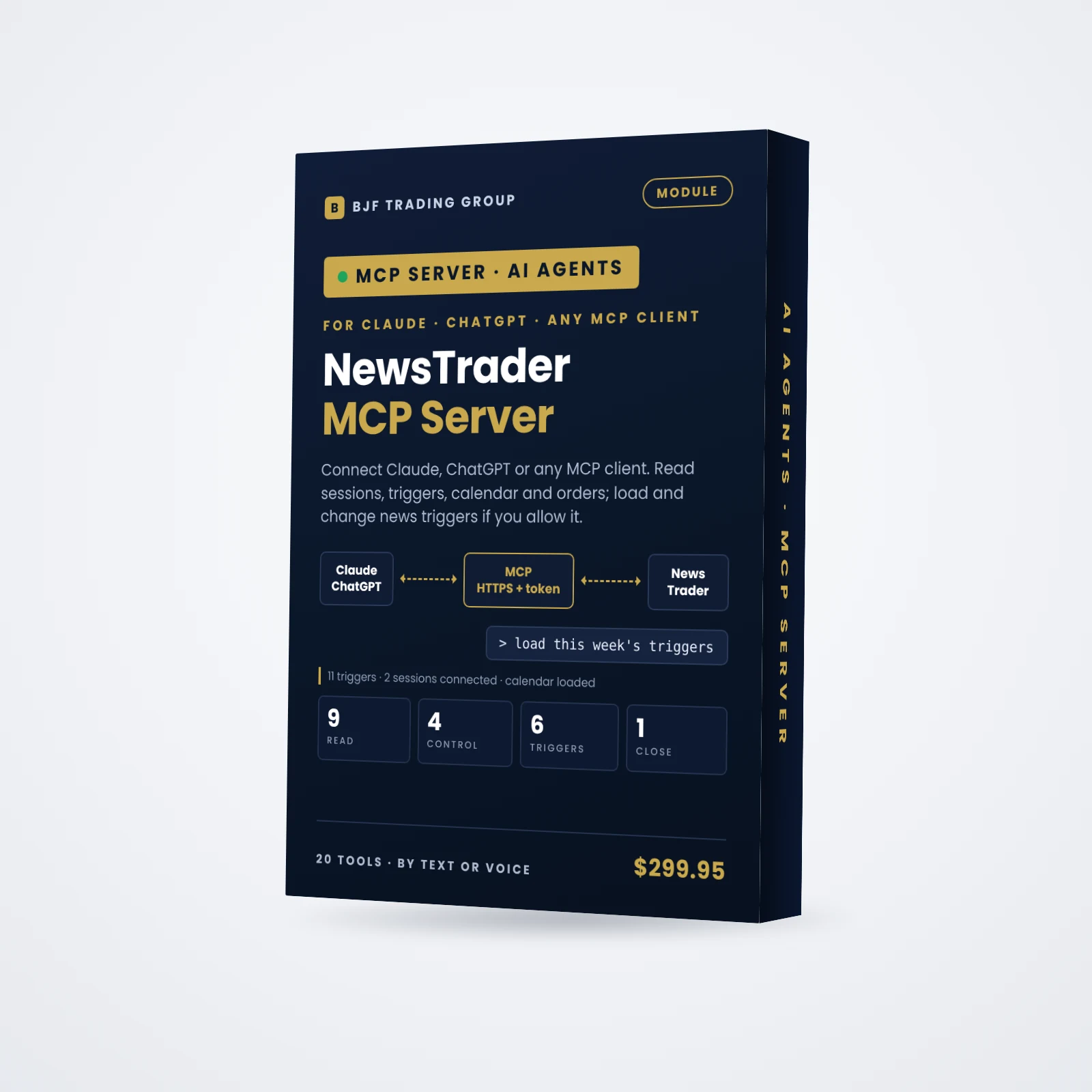
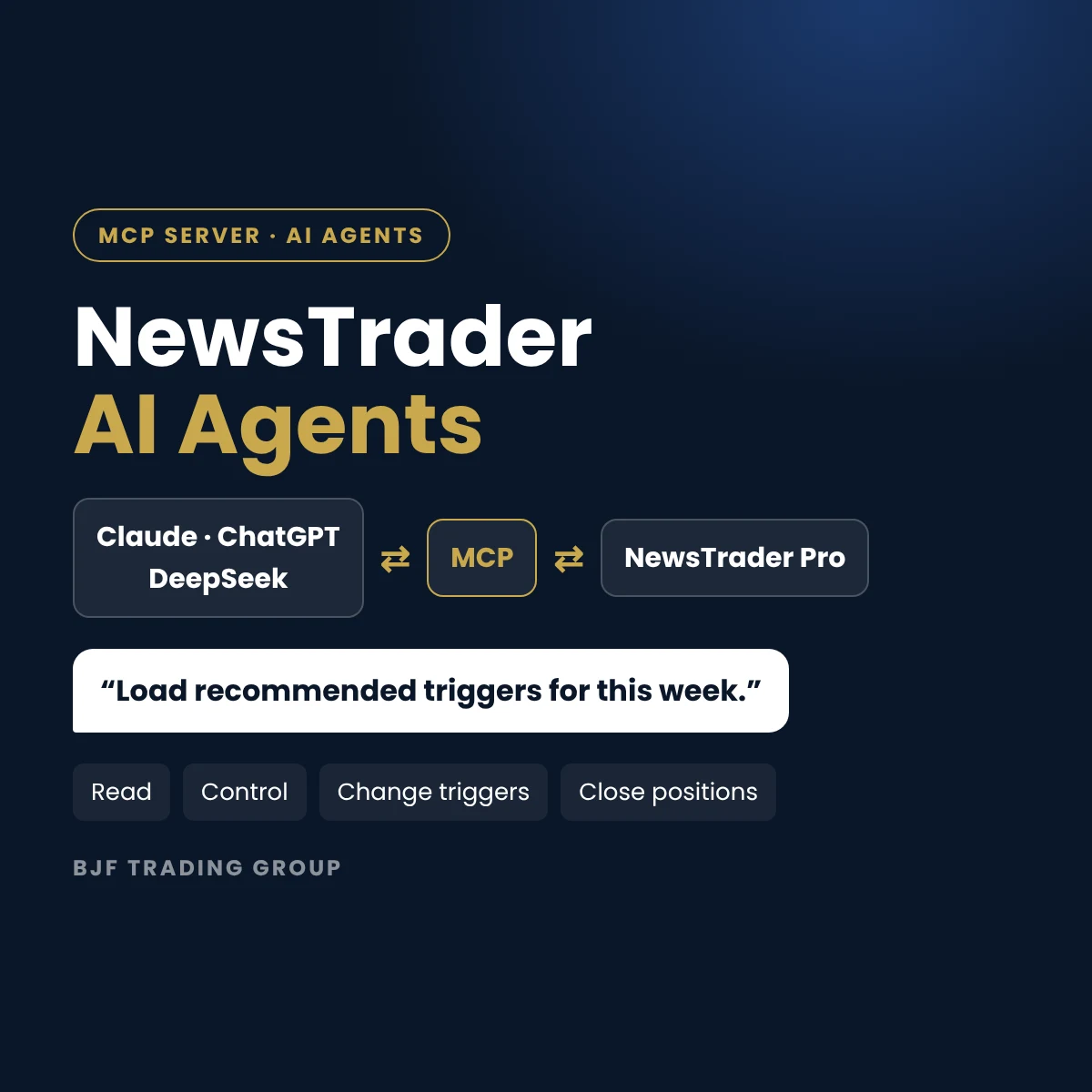
A built-in MCP server lets your own AI assistant read NewsTrader Pro (NewsAutoTraderPro) and, only if you allow it, control it. Ask by text or by voice which sessions are connected, load the recommended triggers for the week, change lot sizes or switch triggers off, from your computer or your phone.
Video: setup and a live demo from the phone
What the module does
Short answer: NewsTrader gets a small server inside it that speaks the Model Context Protocol (MCP), the open standard AI assistants use to connect to other programs. Your assistant connects with an access token and then works with NewsTrader the way you do in its windows, within the permissions you set.
You no longer need a remote desktop session to your VPS to prepare for a news release. Ask the assistant to check the connections, load the triggers for this week or change the lots, and it calls the right NewsTrader tool and reports what it did and what is still missing. With Claude on your phone you can do the same by voice.
How it works
What you can ask
Examples from the video and from everyday use:
- “Check NewsTrader connections”: sessions, triggers, orders and the calendar in one answer.
- “Load recommended triggers for this week”: the assistant asks for approval, then adds the triggers with their entry and trailing options.
- “Change lot size for the triggers to 1000, 2000, 3000 for currencies and 1, 2, 3 for gold”: the lots are changed, and the assistant says which trigger it left as is and why.
- “Disable all triggers until Monday” or “enable the triggers for the US releases”.
- “Which orders are open?” and “close them”, if you allowed closing positions.
- “What does the journal say about the last release?”
- “Which triggers fire today, and is anything stopping them from trading?”: lists triggers with warnings such as no group, a disconnected session, no symbol or an event the news feed does not support.
- “Show my open positions with their stop loss and take profit”: reads the opened orders, including the hidden levels NewsTrader manages.
- “Disable every trigger except the USD ones” (needs Control).
- “Set trigger 4’s stop loss to 50 points and take profit to 80” (needs Change triggers; applies at once, also to that trigger’s open positions).
- “Create a trigger for USD Nonfarm Payrolls on EURUSD” (needs Change triggers; new triggers start disabled).
Permissions
| Permission | What the agent can do |
|---|---|
| Read (always on) | Status, sessions, triggers, the news calendar, orders and the journal. |
| Control | Connect and disconnect sessions, enable and disable triggers, refresh the calendar. |
| Change triggers | Create, edit and remove triggers, including loading the recommended triggers. |
| Close positions | Close open orders. |
Important: AI agents act in NewsTrader as you do. Enabled triggers trade real money at the news release. Allow only what you need, and check the triggers before the release.
Tools the agent gets
The agent sees one tool for each NewsTrader action you allow. It picks the tools itself; you ask in plain words. Tools you do not allow are hidden from the agent.
| Tool | What it does | Same as in NewsTrader |
|---|---|---|
| Read (always on) | ||
get_overview |
Program status: allowed operations, sessions and news feeds, counts, the next events with triggers. | Main window |
list_sessions |
Broker sessions with connection status, balance, equity, groups and open orders. | Sessions grid |
list_groups |
Session groups with their lot defaults and triggers; trigger packs. | Manage groups |
list_triggers |
Your triggers with event, symbol, group, levels, state and warnings. | Triggers grid |
get_trigger |
Every setting of one trigger. | Trigger options dialog |
list_local_db_triggers |
Triggers saved in the local database. | Load trigger from local DB |
get_calendar |
The loaded economic calendar: forecasts, actual values, feed support, triggers. | Calendar |
get_orders |
Open, closed, rejected and pending orders, with the hidden stop loss and take profit. | Orders tabs |
get_journal |
The journal, newest first. | Journal |
| Control | ||
connect_session |
Connects a session. | Connect |
disconnect_session |
Disconnects a session. Its positions stay open at the broker but are no longer managed. | Disconnect |
set_triggers_enabled |
Enables or disables triggers, with warnings for each enabled one. | Enabled check box, Enable all |
refresh_calendar |
Downloads the calendar again and updates forecasts. | Choosing a day in the calendar |
| Change triggers | ||
create_trigger |
Adds a trigger for a calendar event. It starts disabled. | Create automatic rule |
load_recommended_triggers |
Loads this week’s recommended triggers and replaces all current triggers. | Load recommended triggers |
add_triggers_from_local_db |
Copies chosen triggers from the local database. | Add to list (local DB) |
add_corresponding_local_db_triggers |
Adds your local DB triggers for this week’s recommended events, keeping the current list. | Add corresponding local DB triggers |
update_trigger |
Changes symbol, group, forecast, pack and entry, trailing or trigger options. | Grid columns, options dialog |
remove_triggers |
Removes triggers that have no orders. | Remove trigger |
| Close positions | ||
close_orders |
Closes positions by market, cancels resting limit orders, removes virtual orders. | X button of opened orders |
No tool opens a position. Orders come only from triggers, when their news is released.
Setup in NewsTrader
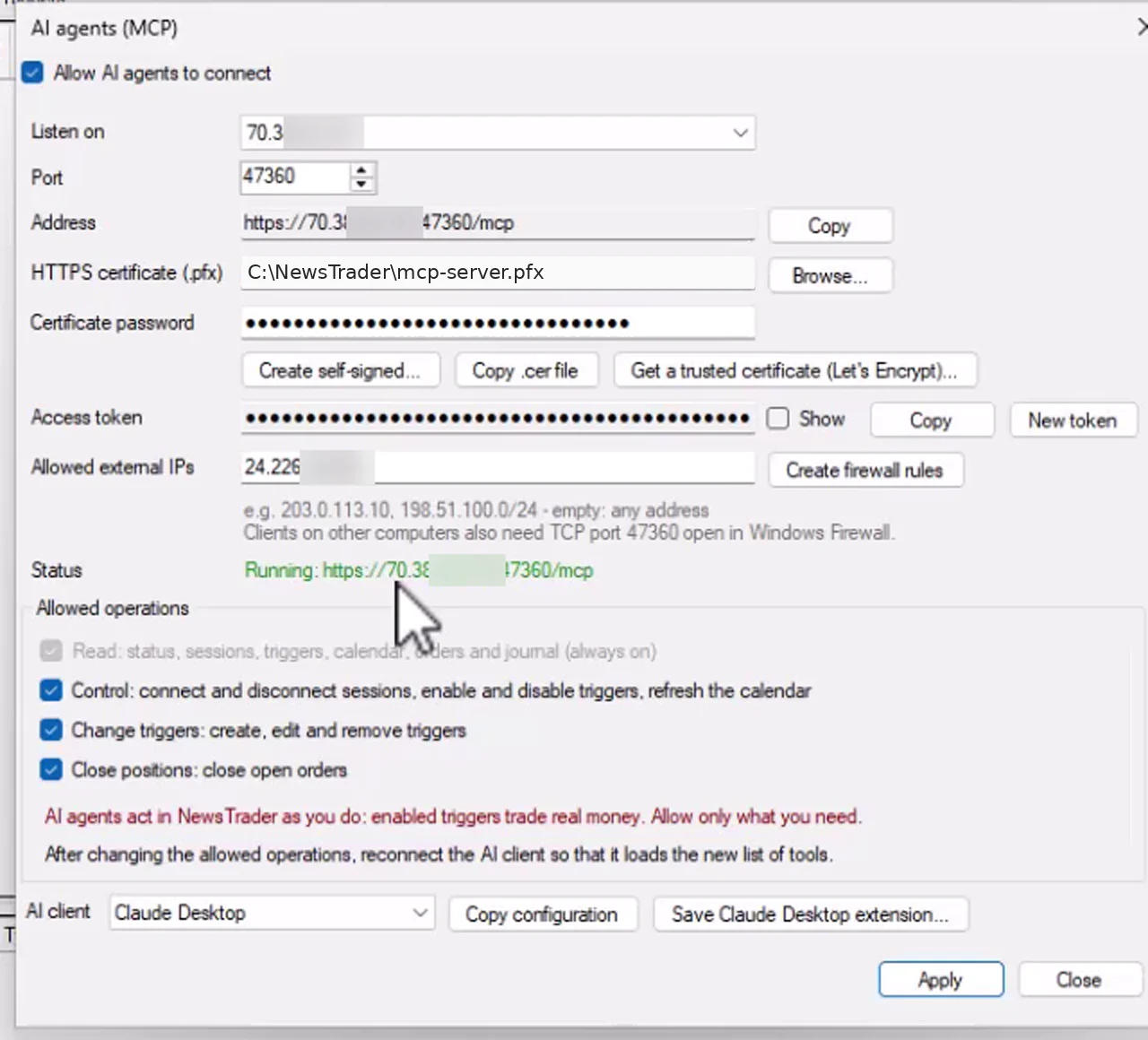
- Open AI agents (MCP) in the menu and tick Allow AI agents to connect.
- Listen on: choose your VPS address if the agent runs on another computer, or This computer only if it runs on the same machine. The default port is 47360.
- HTTPS certificate: reuse the certificate of your SharpTrader MCP server, press Create self-signed, or press Get a trusted certificate (Let’s Encrypt) for clients that accept only trusted certificates.
- Copy the access token. In Allowed external IPs enter the address of your computer and press Create firewall rules.
- Choose the allowed operations, press Apply and check that the status is Running.
- Choose your AI client: save the Claude Desktop extension, or press Copy configuration for other clients. After you change the permissions, reconnect the client so that it loads the new list of tools.
Same computer, VPS or OpenAI: three setups
On another computer, or from OpenAI’s servers, the connection crosses a network, so NewsTrader requires HTTPS. Choose the setup that matches your client.
| Where the AI client runs | Listen on | Certificate | Firewall |
|---|---|---|---|
| Same computer | This computer only (127.0.0.1) | Not needed | Nothing to open |
| Your other computer or VPS | All network interfaces, or one address | A self-signed certificate is enough; the other computer trusts its .cer file | Open the MCP port for that computer’s IP |
| OpenAI agents | All network interfaces | A trusted certificate from Let’s Encrypt for the public IP or domain | Port 80 and the MCP port open |
Let’s Encrypt checks the address on TCP port 80, so that port must be free and open, also on the router or in the VPS provider’s firewall. A certificate for an IP address lasts 6 days and is renewed every 4; a certificate for a domain lasts 90 days. NewsTrader renews it while it runs. With Create self-signed NewsTrader writes a .pfx file for the server and a .cer file for the clients; never give anyone the .pfx, it holds the server’s private key. On the same computer the server listens only on 127.0.0.1, so nothing is opened to the network.
Supported AI clients
The AI client list in NewsTrader has ready configurations for Claude Desktop (one extension file), Claude Code, Cursor, VS Code, Gemini CLI, OpenAI (Responses API), and generic HTTP and stdio clients. The Claude mobile app uses the same connection for voice commands. DeepSeek and some other clients accept only a trusted certificate. The setup steps are the same as for the SharpTrader MCP server: see MCP for Trading. If your agent does not connect, write to us and we will send instructions.
Security
| Access token | Every request must carry the token. Create a new one at any time. |
| HTTPS | Self-signed or trusted (Let’s Encrypt) certificate when the agent connects from another computer. |
| Allowed IP addresses | NewsTrader opens its port in Windows Firewall only for the addresses you list. |
| Permissions | Read is always on. Control, Change triggers and Close positions are separate switches. |
| Approval in the AI client | Claude asks for your approval before it calls a tool that changes something, unless you allowed it permanently. |
| Wrong tokens are blocked | An address that sends 10 wrong tokens within 10 minutes is blocked for 15 minutes; the right token is never blocked. New token disconnects every client that uses the old one. |
| Journal and log | Every agent action is written to the NewsTrader journal as “AI agent: …” and every call to a daily log file. |
What NewsTrader refuses
These checks run in NewsTrader itself, whatever the agent asks.
| No changes while a dialog is open | If a dialog or message box is open in NewsTrader, actions wait until you close it. Reading continues. |
| Hands off around a release | Triggers are not removed or replaced within 60 seconds of an enabled trigger’s release. |
| New triggers start disabled | The agent must enable them separately, and gets warnings about anything that would stop them from trading. |
| No removing a trigger that has orders | A trigger with open, resting or pending orders cannot be removed or replaced. NewsTrader manages those orders through it. |
| Recommended triggers only with no open orders | Loading them replaces every trigger, so it is refused while any order belongs to a trigger. |
| One bad value changes nothing | Trigger changes are checked like the options dialog checks them. If one value is wrong, nothing is changed. |
| Never two closes for one position | A position whose close is already under way is skipped. |
| Everything is recorded | Each action writes a journal line “AI agent: …” with type MCP, and every call goes to a daily log file next to the program. |
Requirements and price
- A NewsTrader Pro (NewsAutoTraderPro) license that includes AI agents. Without it NewsTrader has no AI agents (MCP) menu and runs no server.
- Your own Claude, ChatGPT or other AI assistant account (not included).
- Price: $299.95. After the purchase we add AI agents to your license; restart NewsTrader and the menu appears.
FAQ
Can the AI agent open trades?
It does not send market orders itself. It can create, change and enable triggers, and enabled triggers trade real money at the news release. That is why Change triggers is a separate permission.
Do I need a VPS?
No. The server can listen on This computer only when NewsTrader and the AI client run on the same machine. On a VPS, use HTTPS, the token and the allowed IP list.
Does it work with ChatGPT and DeepSeek?
Yes. Choose the client in the AI client list and copy the configuration. DeepSeek needs a trusted certificate, which NewsTrader can request from Let’s Encrypt.
I already use the SharpTrader MCP server. Can both run together?
Yes. NewsTrader uses its own port (47360 by default) and can reuse the same certificate file.
A tool is missing, for example close_orders. Why?
The agent sees only the tools for the operations you allowed. Tick the operation in the AI agents (MCP) window, press Apply and reconnect the client so that it loads the new list of tools.
Will the agent replace my triggers without asking?
Loading the recommended triggers replaces the whole trigger list, so the agent should confirm with you first, and NewsTrader refuses it while any order belongs to a trigger or within 60 seconds of an enabled trigger’s release.
Does the agent talk to my broker?
No. It works only through NewsTrader’s own actions, the same buttons and menus you use.
Trading involves risk. AI assistants can misunderstand a request; always check what you allow the AI to do and review the triggers before a release. Claude and ChatGPT accounts are not included.